
This article details the needed Notification Target settings when wanting to send webhook notifications to Opsgenie.
- For the Authentication Type, select None.
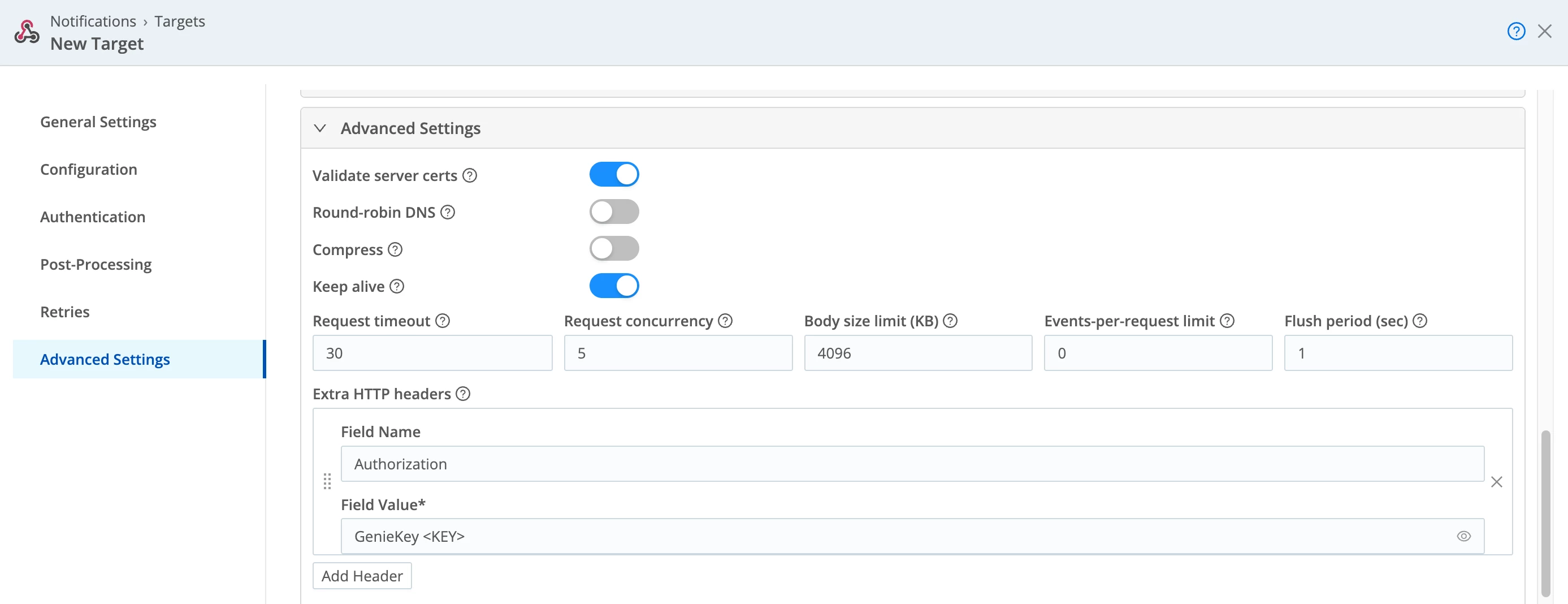
- In the Advanced Settings:
- Set Compress to off / disabled.
- Add an Extra HTTP header:
- Field Name - Authorization
- Field Value - GenieKey <key>
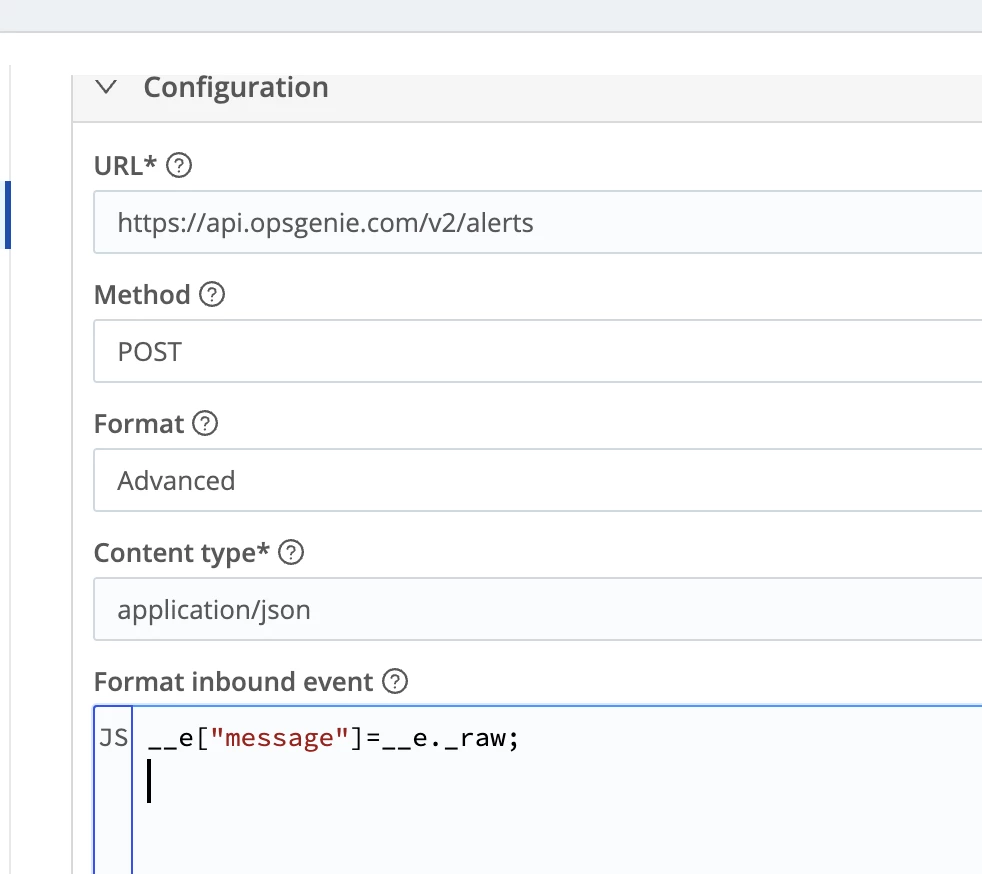
- At a minimum, add a message field in the Format inbound event section (this is the only required field as per the docs).
See the screenshots below for examples: