


If you've used Cribl Stream's field encryption with Splunk, you know the magic of the Cribl Decrypt Add-On: sensitive fields ride into Splunk as ciphertext, sit encrypted at rest, and an analyst with the right role types ... | cribldecryptv2 field to reveal plaintext inline, at search time — nothing is ever stored decrypted.
Then someone asks: "Can we do the same thing in Microsoft Sentinel?"
Short answer: yes, the encryption half is identical and easy — but Sentinel can't decrypt inline the way Splunk does, and that one fact shapes the entire design. Here's the whole solution, end to end, including the trade-offs nobody mentions up front.
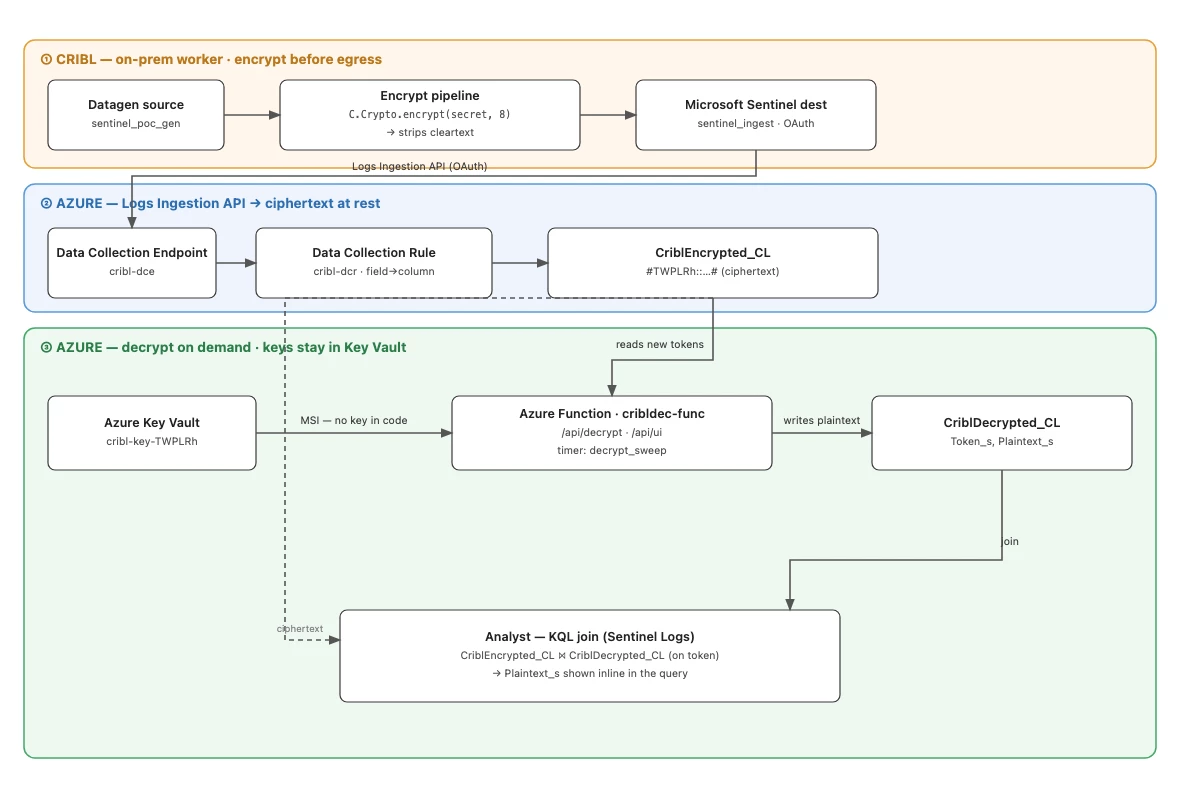
The one constraint that changes everything
A Splunk custom search command is code running inside the search pipeline. That's how cribldecryptv2 decrypts each row on the fly and hands back plaintext without storing anything.
KQL has no equivalent. Log Analytics / Sentinel can't run inline Python, can't call an external service mid-query (python() and evaluate http_request are Azure Data Explorer features, not Log Analytics), and KQL itself has no AES primitive. So decryption simply cannot happen inside the query. Everything below is a consequence of working around that.
Part 1 — Encrypt in Cribl (before the data ever leaves your network)
This part is exactly what you already do for Splunk. In a Cribl pipeline, an Eval function encrypts the sensitive value with C.Crypto.encrypt() (note: the namespace is C.Crypto, not C.Crypt, and it runs on the worker — not in Leader preview):
// keyclass 8 selects an AES-256-CBC key created in Group Settings → Security → Encryption Keys
EncryptedField = C.Crypto.encrypt(creditCard, 8)
The output is a self-describing token:
#<keyId>:<iv>:<ciphertext># e.g. #TWPLRh::2B0RXsyqPFimLa…KoigKwg#
- The wrapping
#…#are markers Cribl uses to find encrypted substrings. - The middle field is the IV — empty for
useIV=falsekeys (zero IV), or a random 16-byte IV foruseIV=true. - It's AES-256-CBC, PKCS7-padded, unpadded base64. No keyclass or HMAC in the token.
Crucially, the pipeline then drops the cleartext field, so only the token leaves Cribl. The sensitive value never touches Azure in the clear.
Part 2 — Ship it to Sentinel as ciphertext
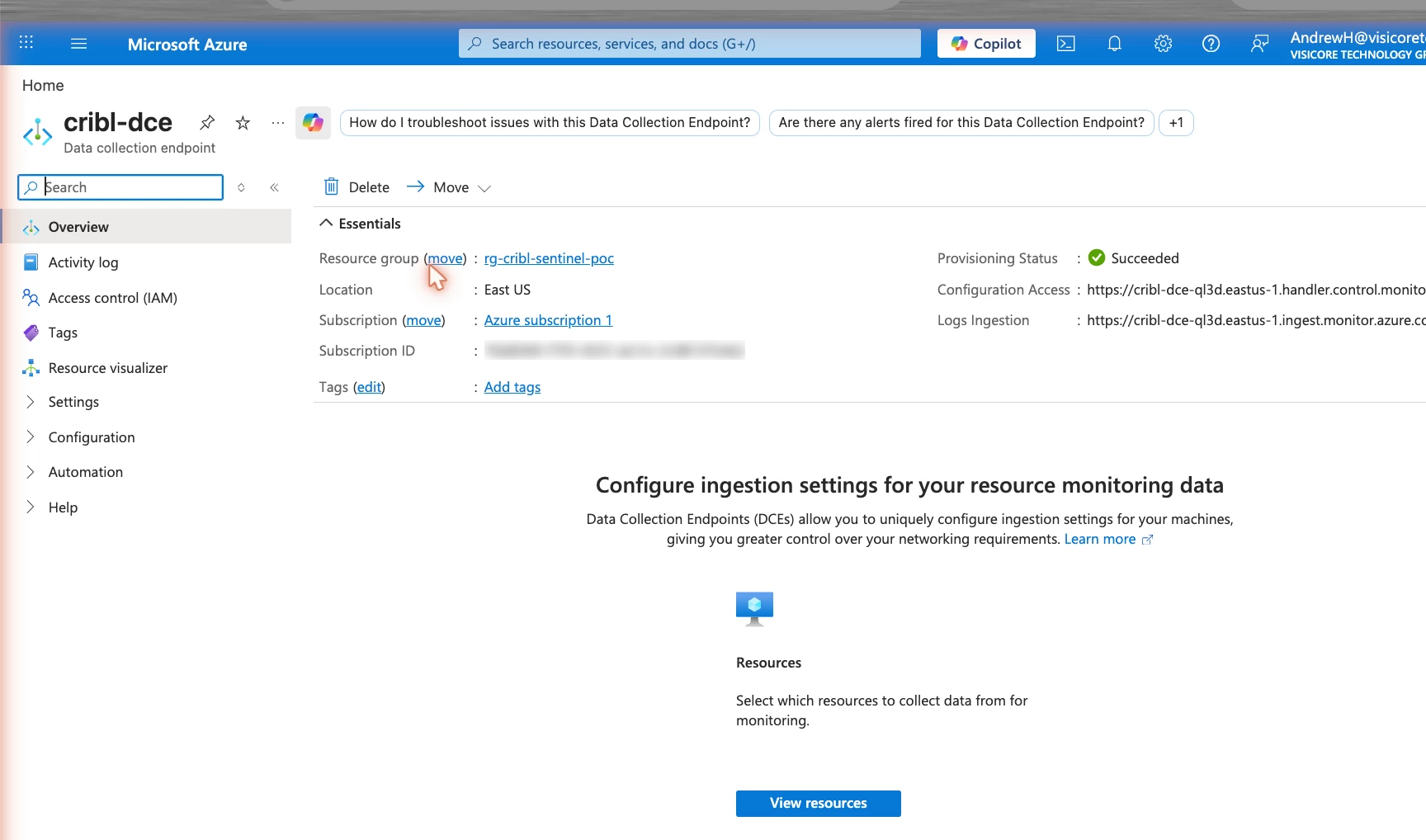
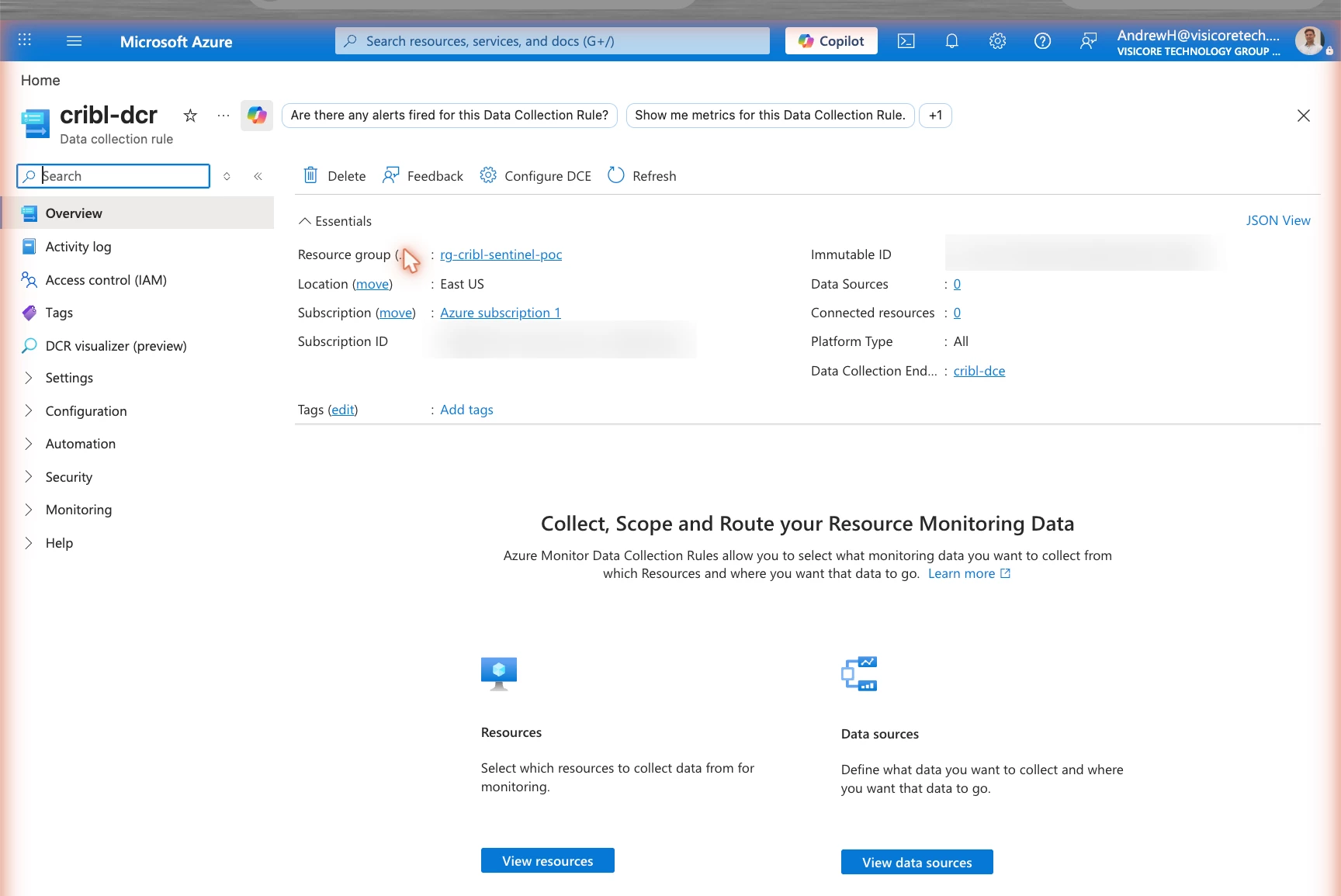
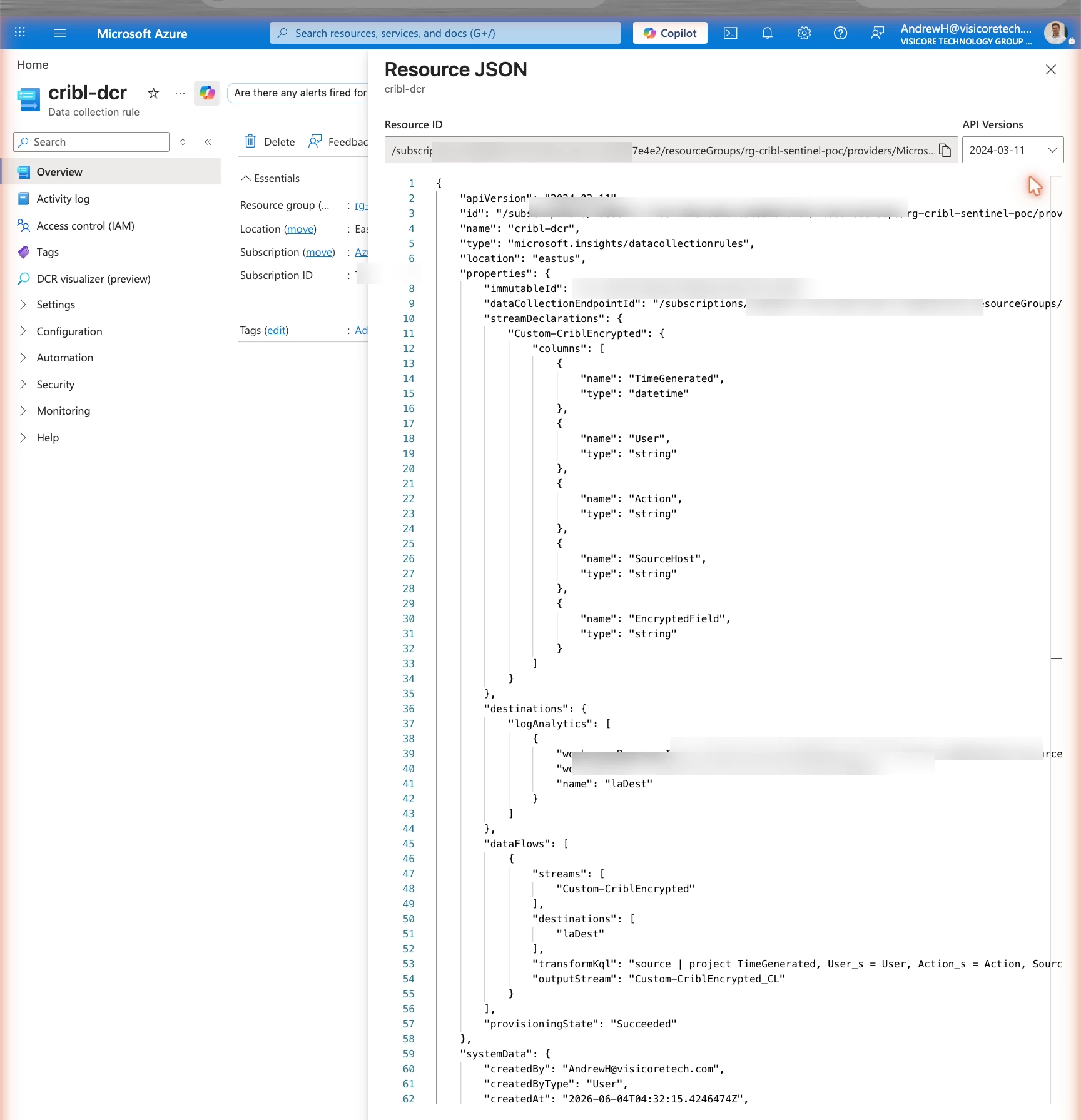
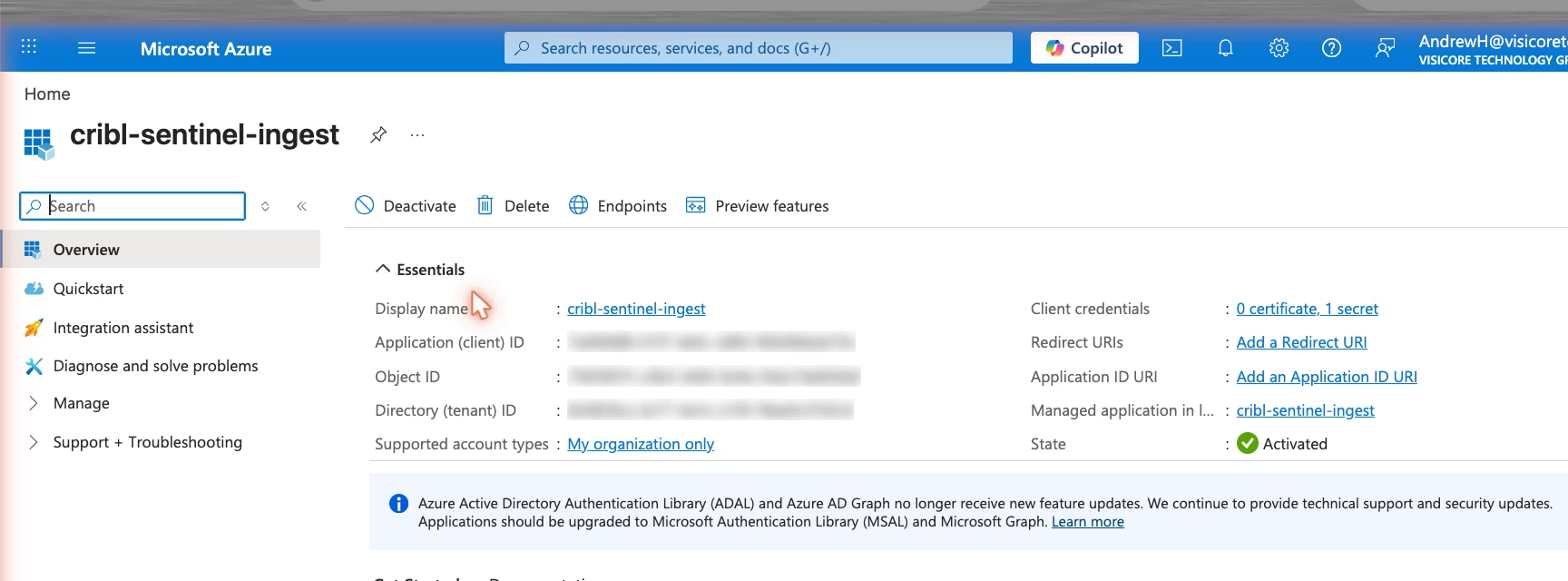
Point a Microsoft Sentinel destination at your workspace. (Use this one — the older "Azure Monitor Logs" destination uses the legacy HTTP Data Collector API, which is deprecated.) Under the hood it uses the Logs Ingestion API, which needs three Azure pieces — all free, you only pay for ingestion:
- A Data Collection Endpoint (DCE) — the ingestion URL.
- A Data Collection Rule (DCR) — maps incoming fields to table columns and routes them into your custom table.
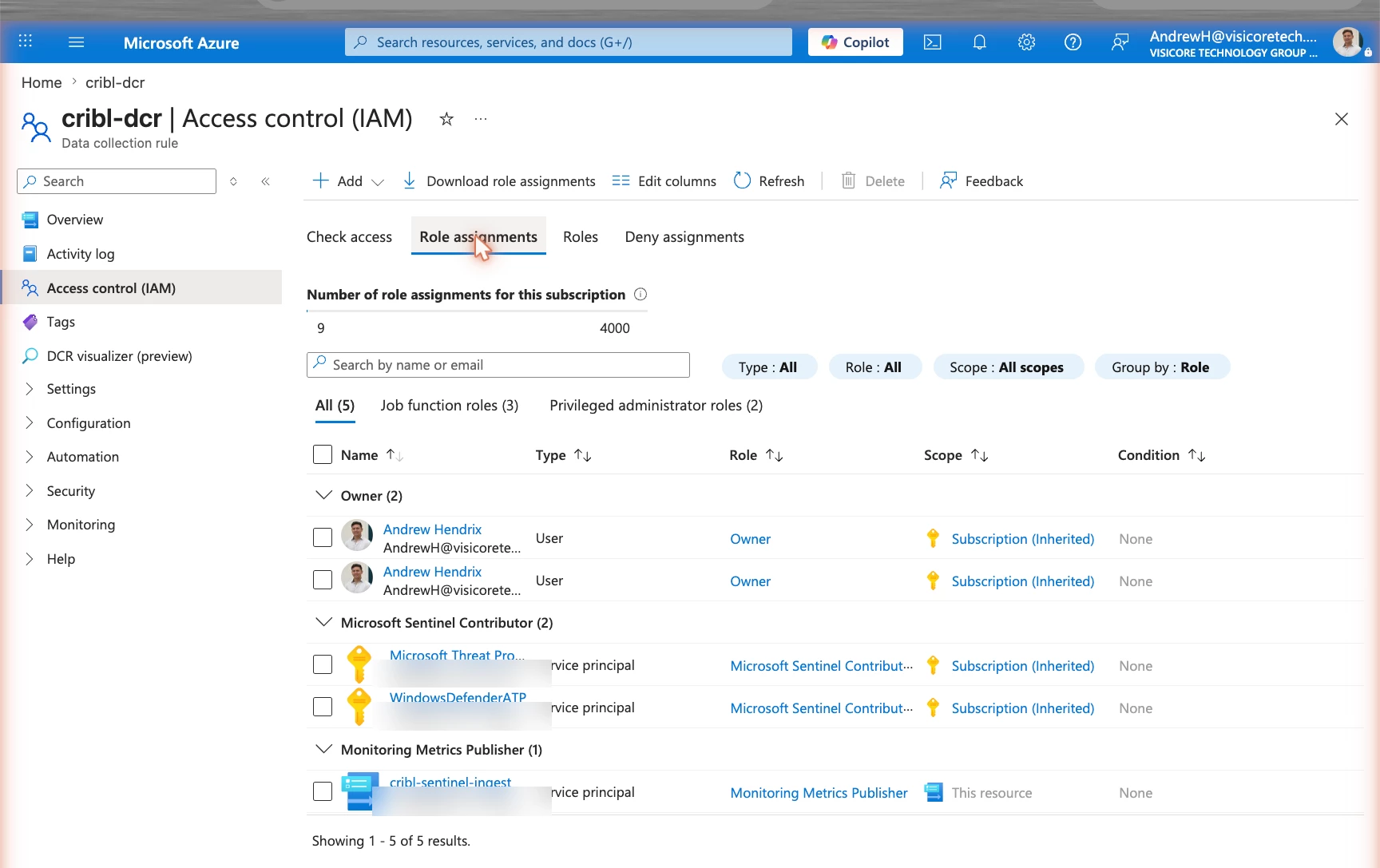
- An Entra app registration with the Monitoring Metrics Publisher role on the DCR — the credentials your worker uses to authenticate (an on-prem worker can't use a managed identity, so an app registration with a client secret does the job).
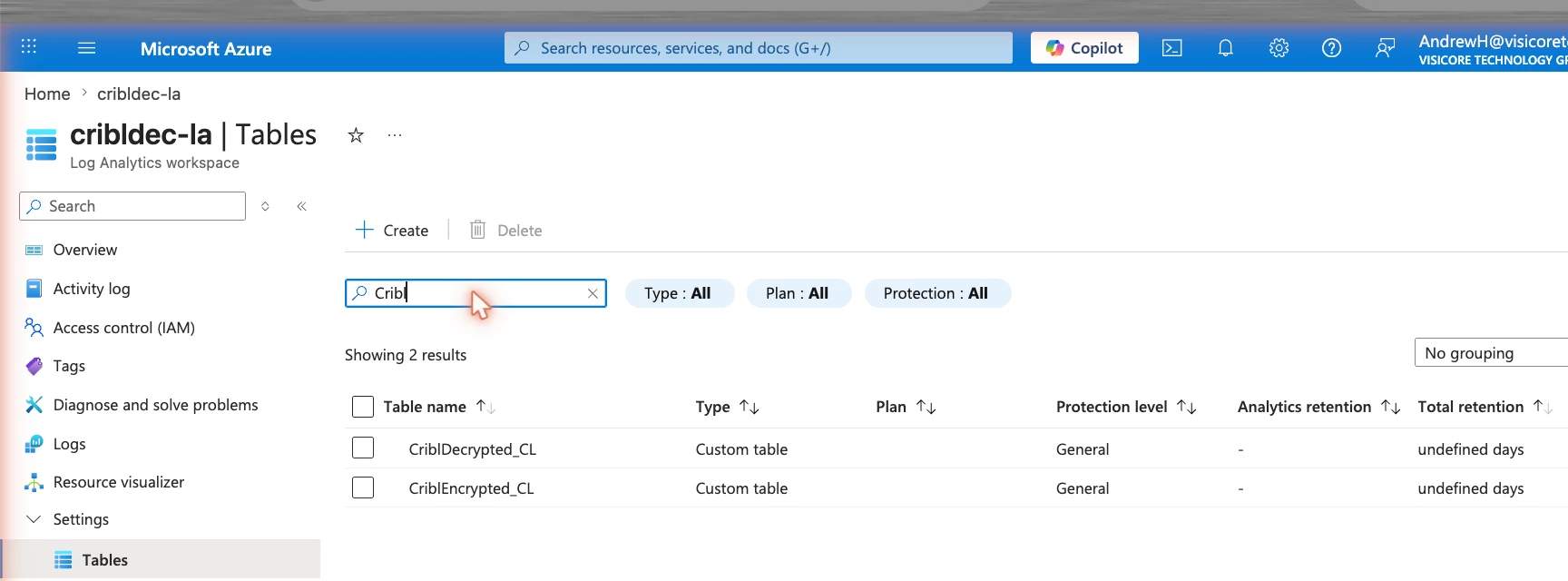
The encrypted events land in a custom table (CriblEncrypted_CL) as ciphertext at rest. An analyst running an ordinary search sees only tokens:
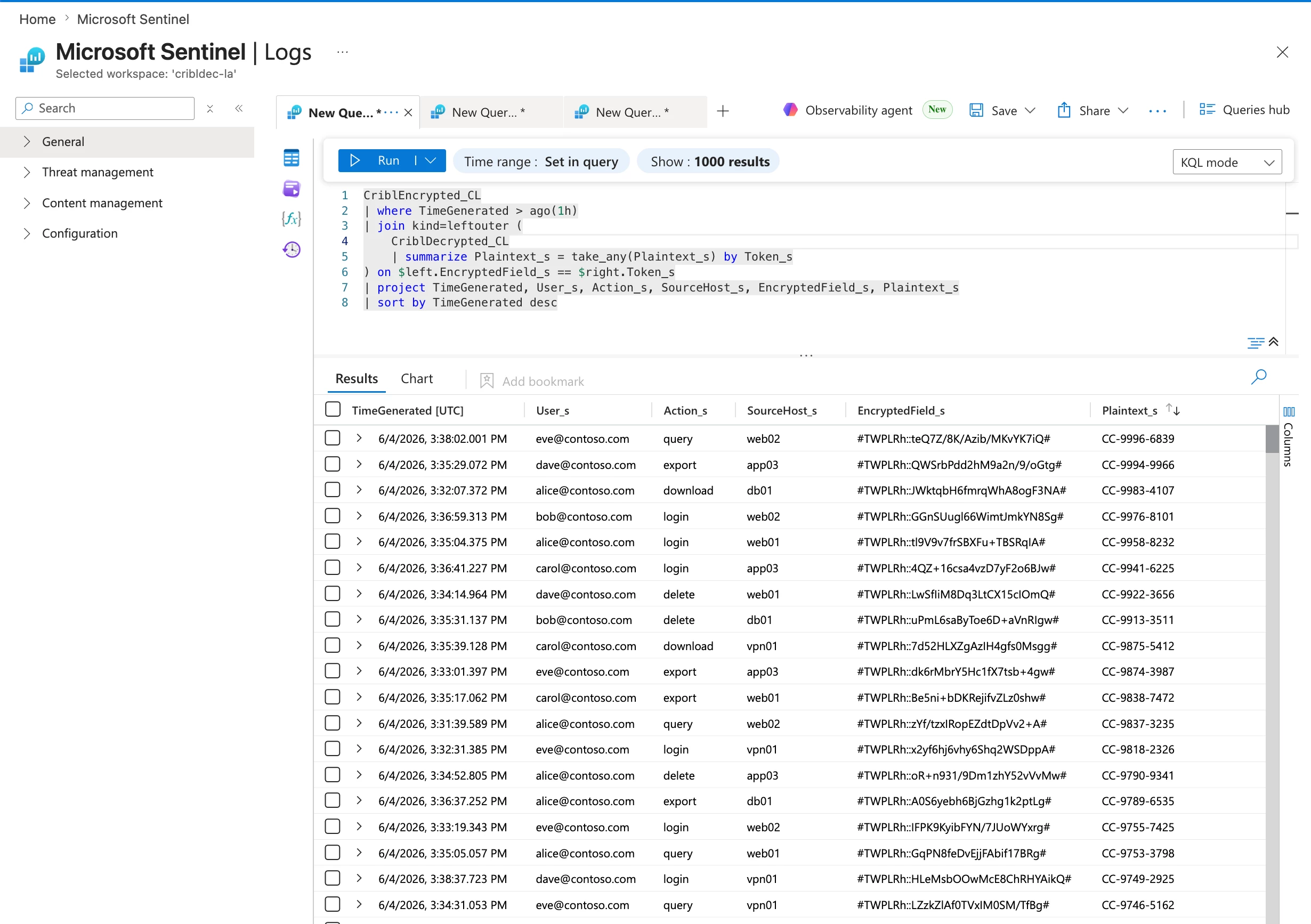
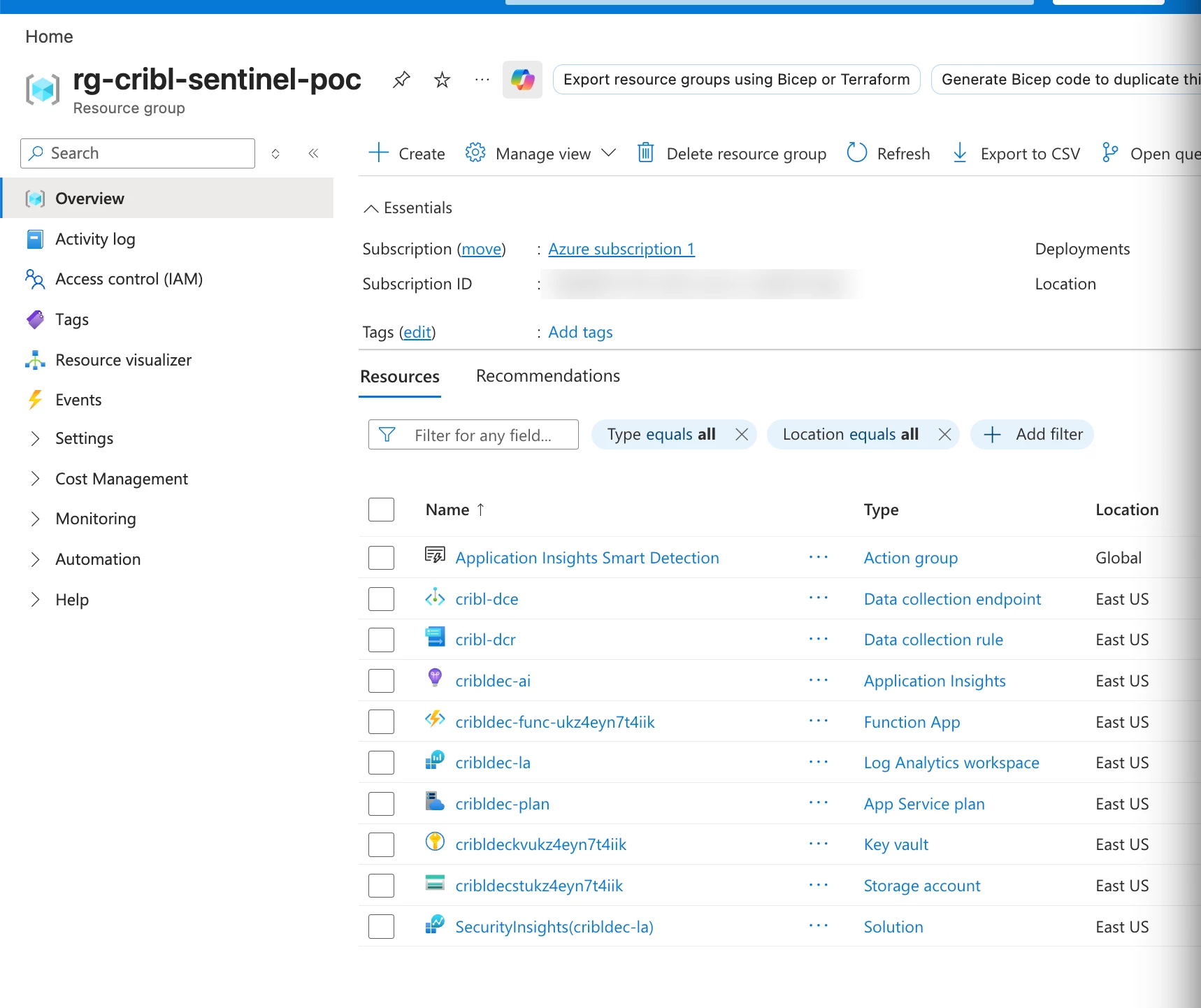
(All of these Azure resources are pictured together in the gallery below.)
So far, so good — this half does match the Splunk model: the sensitive field is encrypted at rest and useless without the key.
Part 3 — Decrypt on demand with an Azure Function
Since KQL can't decrypt, the decryption engine is a small Azure Function (Flex Consumption, Python — scales to zero, costs fractions of a cent per call). Given a token, it:
- Parses the keyId out of the token — that's how it knows which key to use.
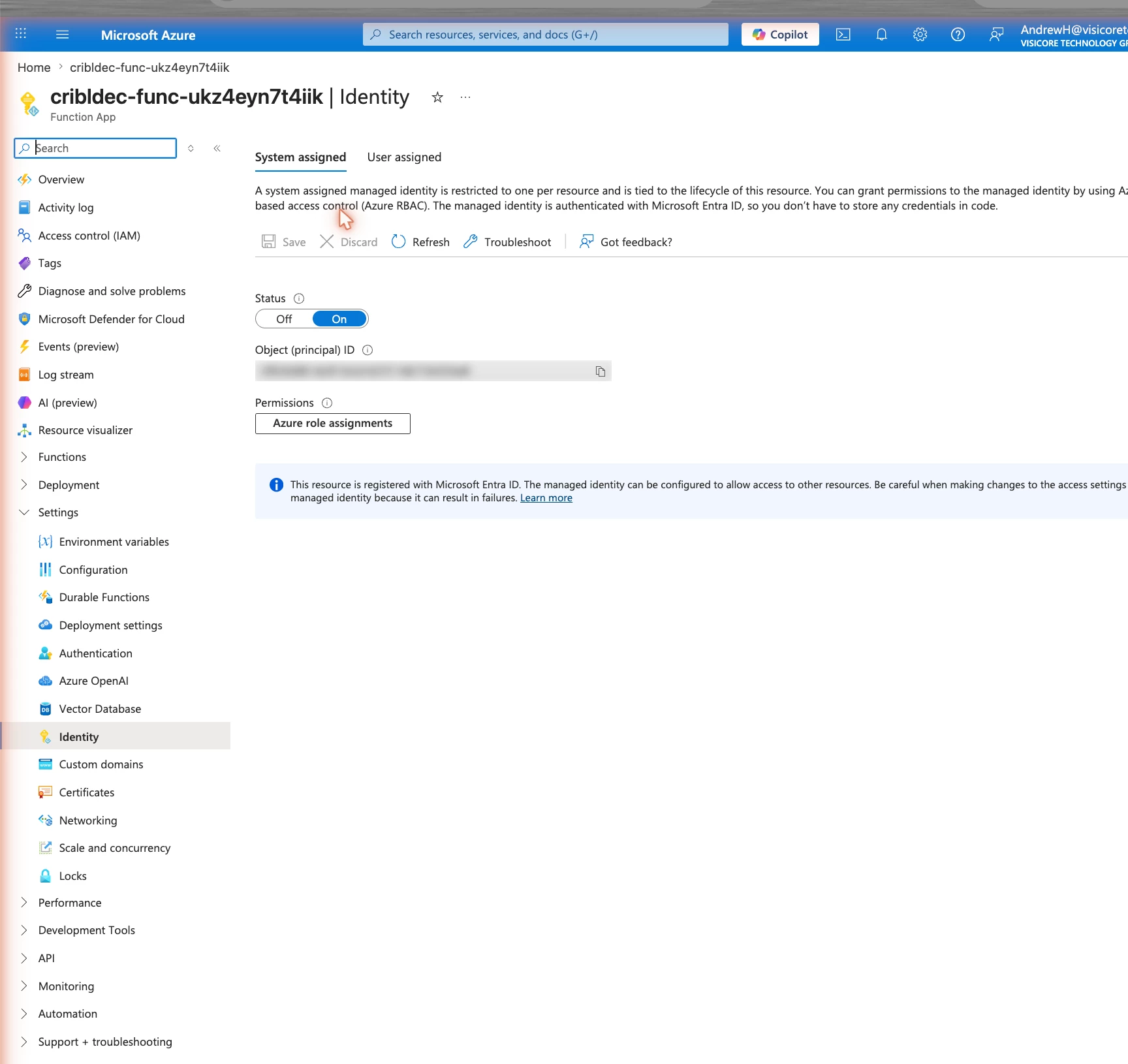
- Fetches that key from Azure Key Vault using its managed identity (no password or key material in code — the identity is granted Key Vault Secrets User). You copy each key's hex into Key Vault once, at key creation (
C.Crypto'ssystem/keyscreate response returns it; it's also shown once in the UI).cribl.secretnever leaves Cribl. - AES-decrypts with the IV from the token (zero IV for
useIV=false), strips PKCS7, returns UTF-8.
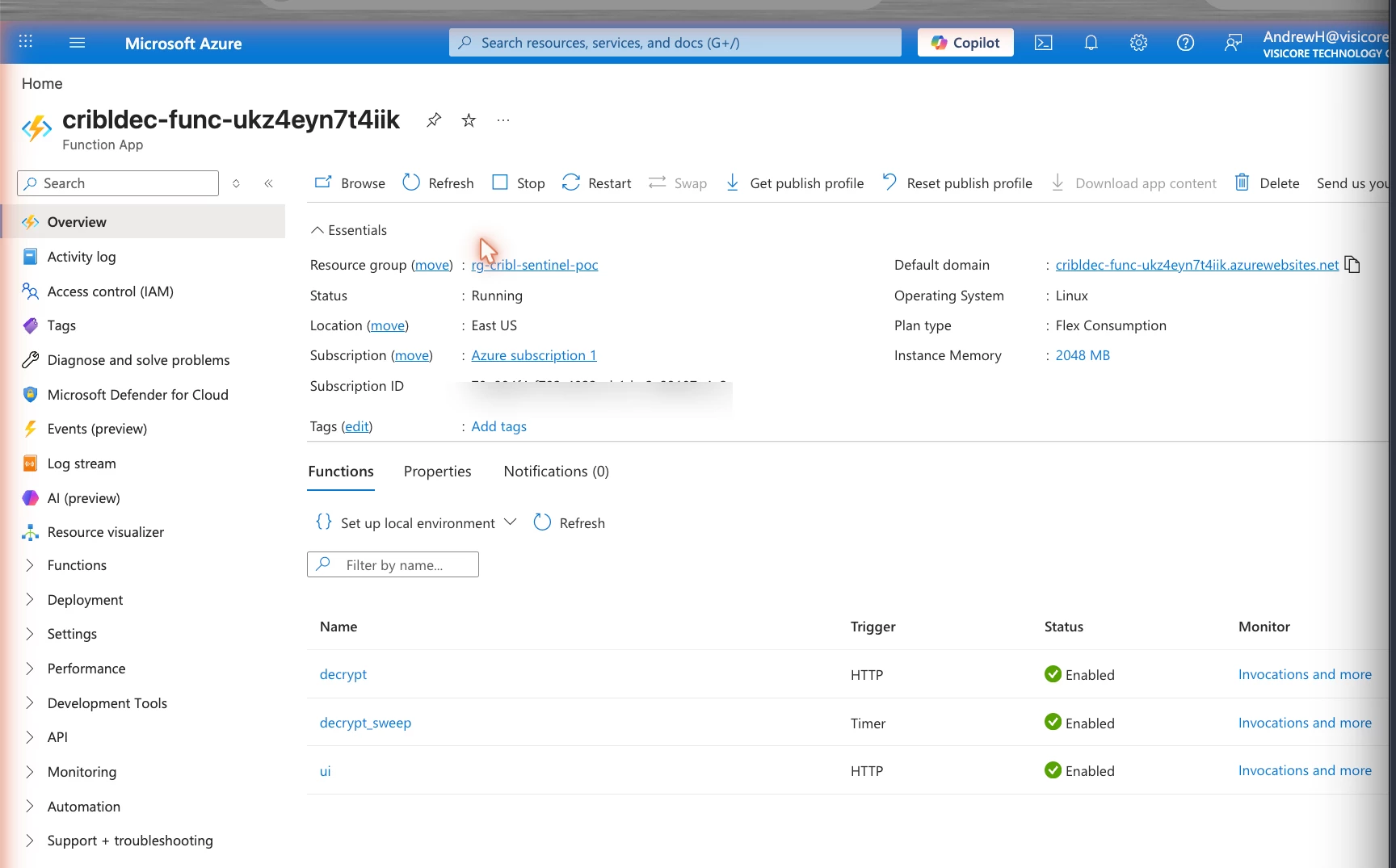
The Function (cribldec-func) runs on Flex Consumption and hosts exactly three functions — decrypt (HTTP), ui (HTTP), and decrypt_sweep (timer). Its key material never lives in code: each key's hex sits in Key Vault as cribl-key-<keyId>, read through the Function's managed identity (granted Key Vault Secrets User), so there's no password or connection string anywhere. (See the gallery for the Function, its identity, and the vault.)
The same crypto is exposed three ways:
| Surface | What it is |
|---|---|
POST /api/decrypt | the HTTP API everything else calls |
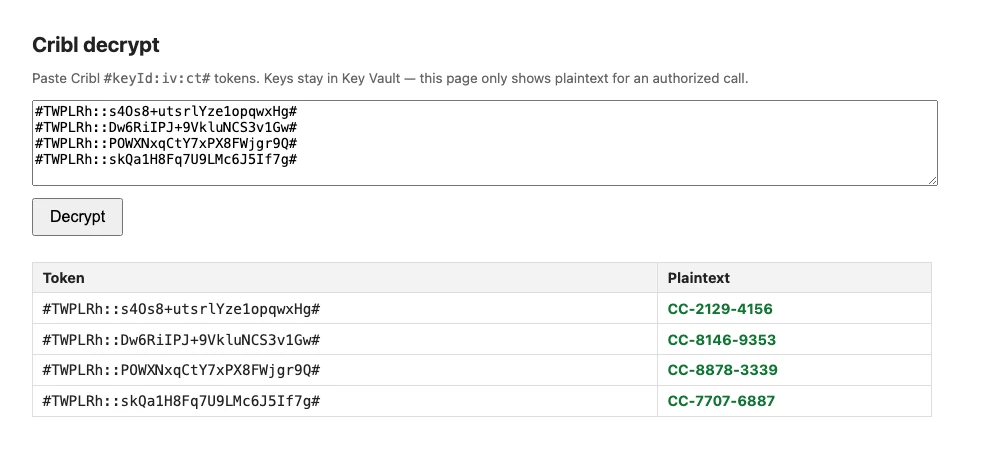
GET /api/ui | a paste-and-decrypt page served by the Function itself — same-origin, so no CORS or browser gates |
| a timer | every few minutes, decrypts new tokens and writes them to a lookup table (more on this below) |
Here's the /api/ui page turning live tokens into plaintext — keys never leave Key Vault:
Seeing plaintext in a search — the part Sentinel makes you work for
This is where the platform difference bites. To get a Plaintext column to appear in a normal KQL query, you have to pre-compute it into a table, because the query can't decrypt. So the Function's timer decrypts new tokens and writes {Token_s, Plaintext_s} into a second table (CriblDecrypted_CL). Analysts then join:
CriblEncrypted_CL
| join kind=leftouter (
    CriblDecrypted_CL
    | summarize Plaintext_s = take_any(Plaintext_s) by Token_s
  ) on $left.EncryptedField_s == $right.Token_s
| project TimeGenerated, User_s, Action_s, EncryptedField_s, Plaintext_s
The KQL isn't decrypting — it's a string-keyed lookup to plaintext the Function already produced. (A neat trick keeps the timer honest: it processes a non-overlapping time band — tokens 6–11 minutes old — so each is decrypted exactly once and is old enough to have finished ingesting. The cost is a ~6–11 minute delay before plaintext appears.)
The trade-offs nobody puts on the slide
The materialized-table approach is convenient, but be honest about what it costs — because this is exactly what Splunk's in-search command avoids:
- ~2× ingestion. That lookup table re-stores the token (the bulk of each row, since it's the join key) plus the plaintext, at roughly the same per-row size. Decrypt the whole stream and you pay to ingest essentially the same volume twice. (Scope the timer to fewer rows and it drops proportionally.)
- Plaintext at rest.
CriblDecrypted_CLliterally holds the cleartext values. Anyone with read access to that table sees them — no key required. (Azure encrypts all Log Analytics data on disk, but that's transparent storage encryption; it does not stop a query reader from seeing the plaintext.) So the moment you materialize, you've softened the "encrypted at rest" property for whatever you decrypt.
If you want the true Splunk-style posture — ciphertext at rest, plaintext only ever transient — skip the materialized table and decrypt only via the on-demand surfaces (the /api/ui page, the Function API, a Sentinel Notebook, or an incident playbook). Plaintext is then computed per request and never stored. The cost: you lose the inline-KQL Plaintext column.
Cribl Decrypt for Splunk vs. this Sentinel build
Splunk cribldecryptv2 | This Sentinel build | |
|---|---|---|
| Where decrypt runs | inside the search, on the search head | an Azure Function, outside the query |
| Inline in the query? | ✅ yes (real per-row decrypt) | only via a join to a pre-decrypted table |
| Plaintext at rest? | ❌ never — transient per search | ❌ none for on-demand surfaces; ⚠️ yes for the join table |
| Extra ingestion? | none | ~2× if you materialize; none if on-demand |
| Key storage | full keys.json + cribl.secret synced to each search head | per-key hex in Key Vault, fetched by managed identity |
| Access control | Splunk capabilities cribl_keyclass_N per role | Function key + Key Vault access + (optional) table RBAC |
The takeaway: Splunk's command gives you both properties at once — inline and no extra storage — because it can run code in the search. On Sentinel you pick one:
- Inline-in-query → materialize a lookup table (≈2× ingest, plaintext at rest), or
- On-demand only → a Function/page/notebook/playbook (no extra ingest, no plaintext at rest, but not a column in your query).
So… is this "encrypted at rest"?
For the ciphertext table: yes — same as Splunk. The minute you add the materialized decrypt table for inline-KQL convenience, that table is plaintext at rest. Know which one you're running. For most teams the right answer is: keep ciphertext at rest, decrypt on-demand for investigations, and only materialize a tightly-scoped, RBAC-locked, short-retention table if you genuinely need plaintext inside ad-hoc KQL.
The crypto is the easy part — C.Crypto.encrypt and ~20 lines of AES on the way back out. The interesting engineering is everything the platform forces around it.
The Azure resources, end to end
Every Azure piece this build provisions, in rg-cribl-sentinel-poc (subscription, tenant, and object IDs blurred):
Ingestion path
Decrypt engine
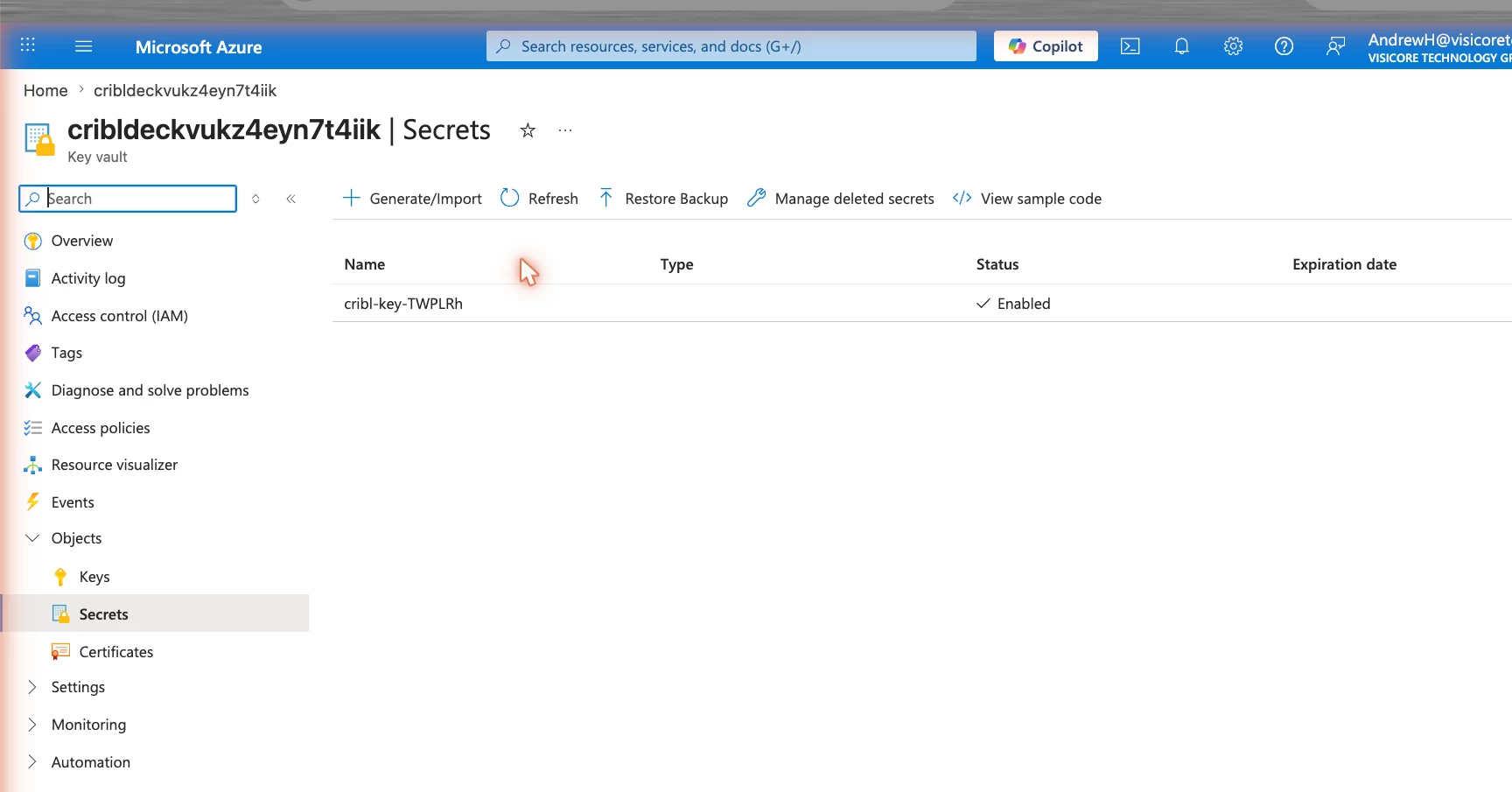
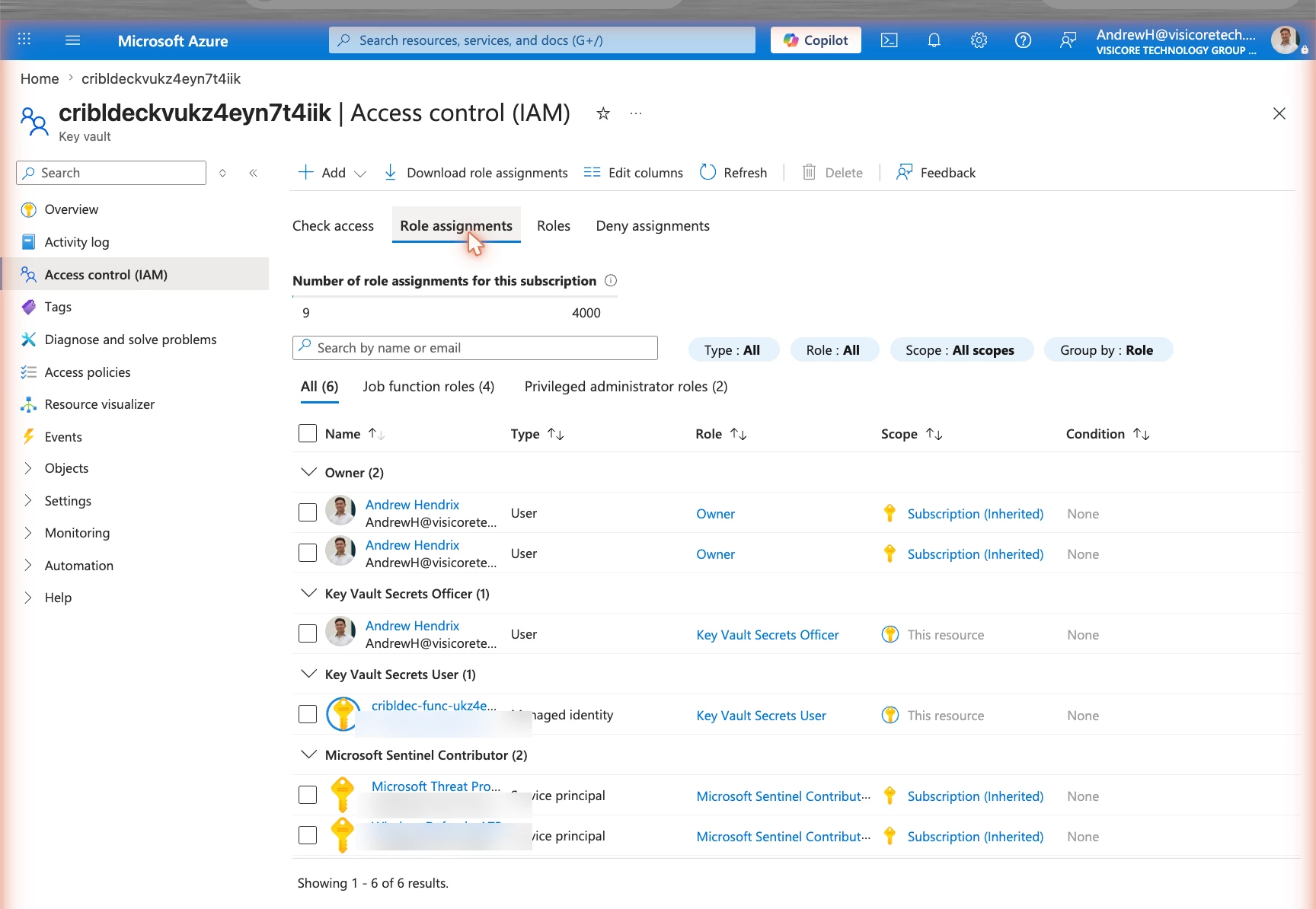
Want to replicate it? The moving parts are: a Cribl Microsoft Sentinel destination → DCE/DCR + Entra app for ingestion → an Azure Function (Key Vault-backed) for decrypt → and, optionally, a timer + lookup table if you want plaintext inside a KQL join. Happy to share the Bicep/Function code — drop a comment.
Andrew Hendrix is a Sr. Observability Engineer with VisiCore Technology Group - Linkedin