

Symptom
When creating an Amazon S3 Dataset in Cribl Search, specifying an AWS Region that is not in the supported Region list causes the request to fail with HTTP 400.
The API response includes keyword enum and message should be equal to one of the allowed values.
This applies to any AWS Region missing from the supported list. Examples include ap-southeast-6, ap-east-2, and mx-central-1.
Environment
- Cribl Search
- Amazon S3 Federated Dataset backed by an external S3 bucket
- Search REST API or Dataset configuration UI
Resolution
- Omit the
regionparameter from the Dataset creation POST request. - Retry the POST request.
- Verify that automatic region detection associates the Dataset with the intended AWS Region and bucket.
Example: Region Not in the Supported List
The following request specifies ap-southeast-6:
curl --request POST --url "https://<workspaceName>-<organizationId>.cribl.cloud/api/v1/m/default_search/search/datasets" --header "Authorization: Bearer <token>" --header "Content-Type: application/json" --data '{ "provider": "S3", "bucket": "<bucket-name>/<path>/", "description": "API test - unsupported region", "type": "s3", "region": "ap-southeast-6", "id": "<dataset-id>" }'
The request returns HTTP 400. The relevant response fields are:
{ "status": "error", "message": "[{"keyword":"enum","dataPath":"/region","schemaPath":"#/definitions/s3/else/properties/region/enum","message":"should be equal to one of the allowed values"}]" }
The response includes an allowedValues list. The request fails when the specified region is absent from that list.
Example: Omit the Region
Remove region from the request body before retrying the POST request:
curl --request POST --url "https://<workspaceName>-<organizationId>.cribl.cloud/api/v1/m/default_search/search/datasets" --header "Authorization: Bearer <token>" --header "Content-Type: application/json" --data '{ "provider": "S3", "bucket": "<bucket-name>/<path>/", "description": "API test - unsupported region", "type": "s3", "id": "<dataset-id>" }'
Omitting region allows automatic region detection to handle the bucket location.
Cause
The specified AWS Region is not present in the supported-Region allowlist used for S3 Dataset configuration.
When region is provided explicitly, schema validation rejects values outside that allowlist.
Additional Information
The region field identifies the AWS Region where the S3 bucket is located.
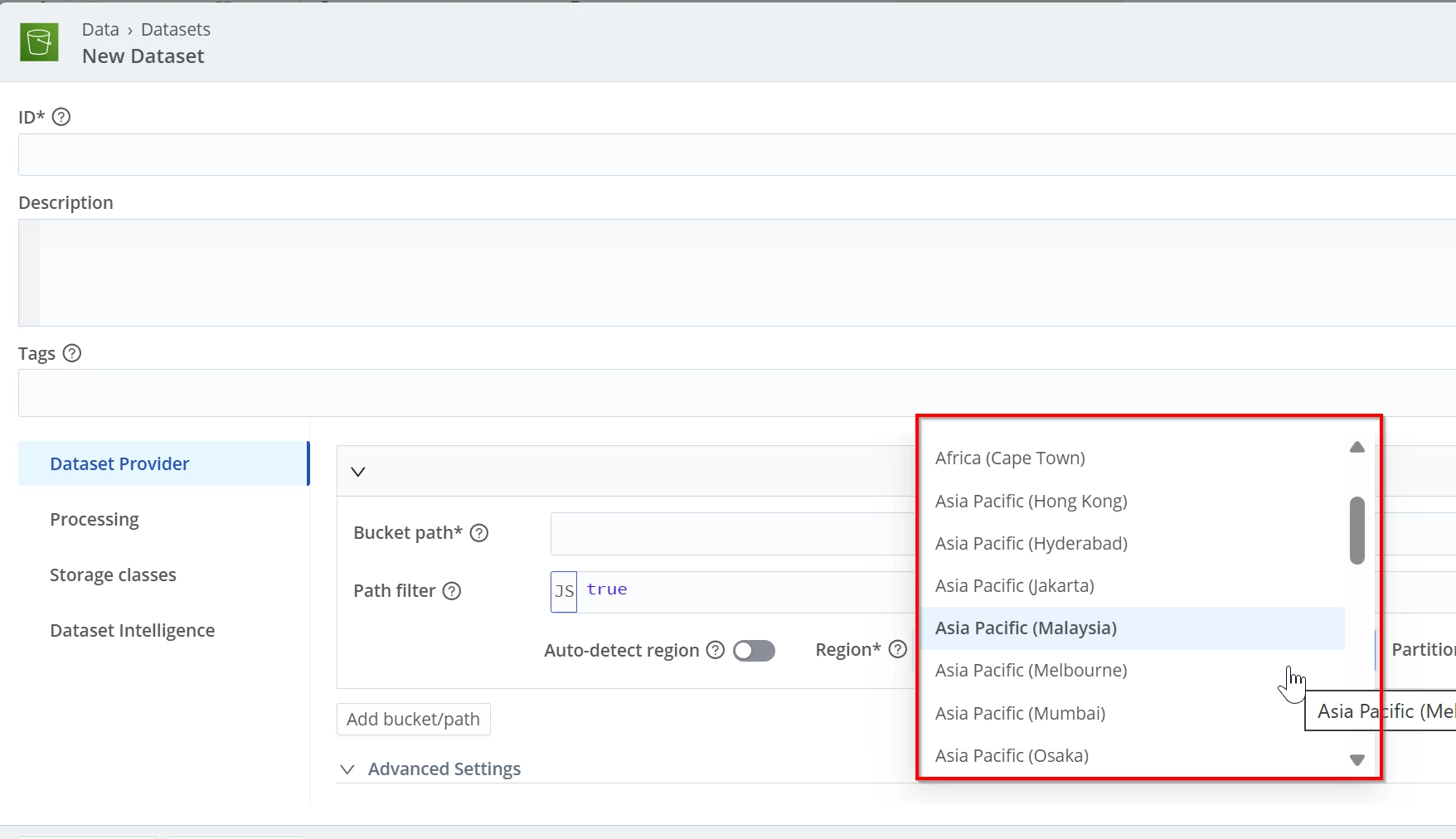
In the UI, navigate to Data > Datasets and open or create an Amazon S3 Federated Dataset. In the bucket-path configuration, disable Auto-detect region to display the Region field.
If the bucket’s Region is not available in the Region dropdown, enable Auto-detect region or omit region from the API request.
For more information, see Connect Cribl Search to Amazon S3.