

Objective
Collect cpuprofiles from all the Cribl Worker processes on a Linux Worker or Linux Edge node.
Environment
- Self-hosted Linux Worker node or Linux Edge node
Procedure
- SSH into a Linux worker or Linux Edge node. Note: If you are logged in as a different user than the cribl user, run
su - cribl - Run this code (from anywhere):
date +%s; ps -ef | grep -i cribl | grep -v grep | grep -i worker | awk '{print $2}' | while read pid; do echo "Processing: $pid"; /opt/cribl/bin/cribl diag cpuprofile -p $pid; done
The code will print the execution time in epoch time and list the Worker processes to be run for the cpuprofile. Sample output:1776825317 Processing: 2216459 Processing: 2216484 Processing: 2216500Be patient and check the diag (ls -latr /opt/cribl/diag/) directory to confirm the cpuprofile is complete.
Example:
-rw-r--r-- 1 cribl cribl 352050 Apr 22 02:36 cpu-1776825364383-2216459.cpuprofile -rw-r--r-- 1 cribl cribl 298674 Apr 22 02:36 cpu-1776825372348-2216484.cpuprofile -rw-r--r-- 1 cribl cribl 261213 Apr 22 02:36 cpu-1776825372148-2216500.cpuprofile - Download the profiles from the working directory (for example, use the scp command).
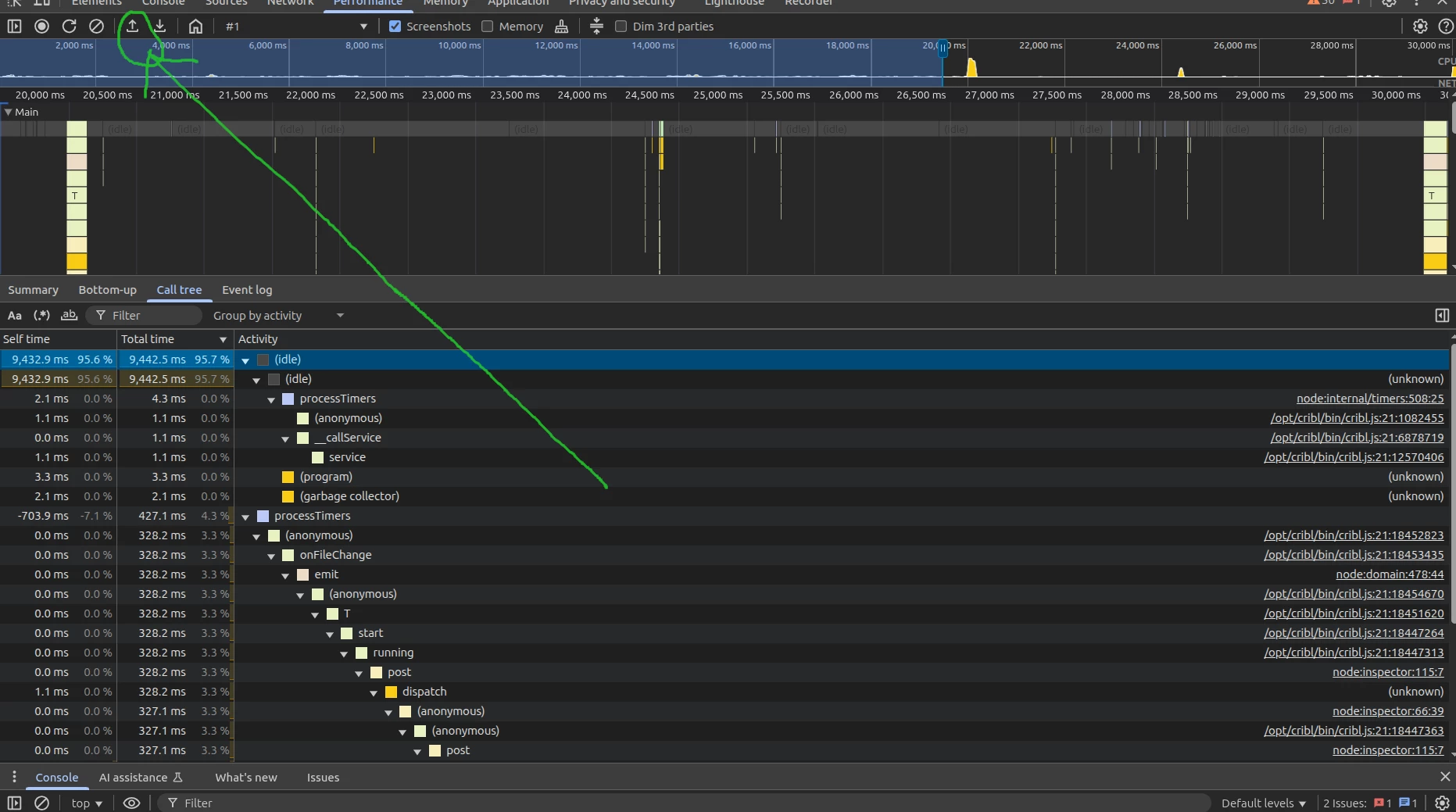
- Happy cpuprofile analyzing! You can use the browser’s built-in tools. For example, for the Chrome browser: Chrome tools: (Use CTRL + SHIFT + J on Linux). Go to the performance tab and upload the CPU profile (look for the arrow-up icon on top).
Last Validated
Cribl 4.17.0