
Azure Standard Load Balancer (HTTP Health Probe Requirement)
The Azure Standard Load Balancer (SLB) can be used in front of Cribl Stream Workers or Leaders, but it requires a specific HTTP health probe configuration to ensure the nodes are marked healthy.
Azure SLB does not support arbitrary TCP health checks for application-level validation. Therefore, when deploying Cribl Stream behind an Azure Standard Load Balancer, you must configure the health probe to use the Cribl health endpoint on port 9000.
Required Health Probe Configuration
- Protocol: HTTP
- Port: 9000
- Path: /api/v1/health
- Expected Response: HTTP 200
- Purpose: Ensures the node is fully available at the application layer
- Notes:
- This endpoint is part of the Cribl Stream API and returns 200 only when the node is operational.
- Using any other port or path will prevent Azure SLB from properly detecting node health.
Azure Portal Example
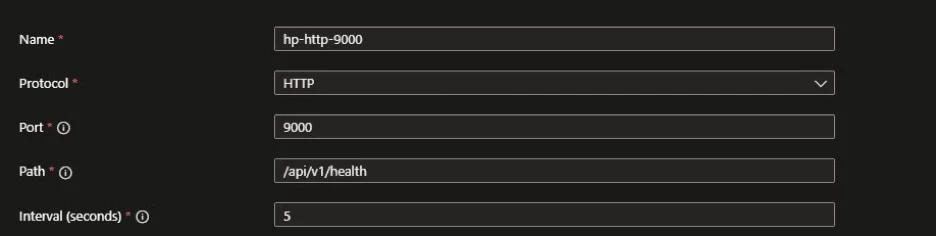
Below is an example of a valid Azure Standard Load Balancer health probe configuration for Cribl Stream:
Health Probe Settings (Azure SLB)
- Name: hp-http-9000
- Protocol: HTTP
- Port: 9000
- Path: /api/v1/health
- Interval: 5 seconds